
Prompt, Skill, Plugin, or AI Agent? How to Choose the Right AI Workflow Components
Many of us find ourselves using artificial intelligence (AI) the same way, no matter what the task. But if we know which AI workflow components are better suited for the task at hand, we could seriously improve productivity and time management.
This guide explains each building block in plain English. It also shows how we at Saratoga turn these parts into AI workflows that fit the way a business already works, with clear limits, human approval, and checks that prove the work was completed properly.
Skip ahead: We need AI-enabled solutions
Key takeaways
How to choose the right AI workflow components:
- Use an AI prompt for a specific task.
- Use an AI skill for a method your team repeats.
- Use a connector for current information.
- Use a tool or script for calculations and checks.
- Use a workflow package, sometimes called a plugin, when the full setup must be shared.
- Use an AI agent when the system must decide which approved step comes next.
Which AI building block do you need?
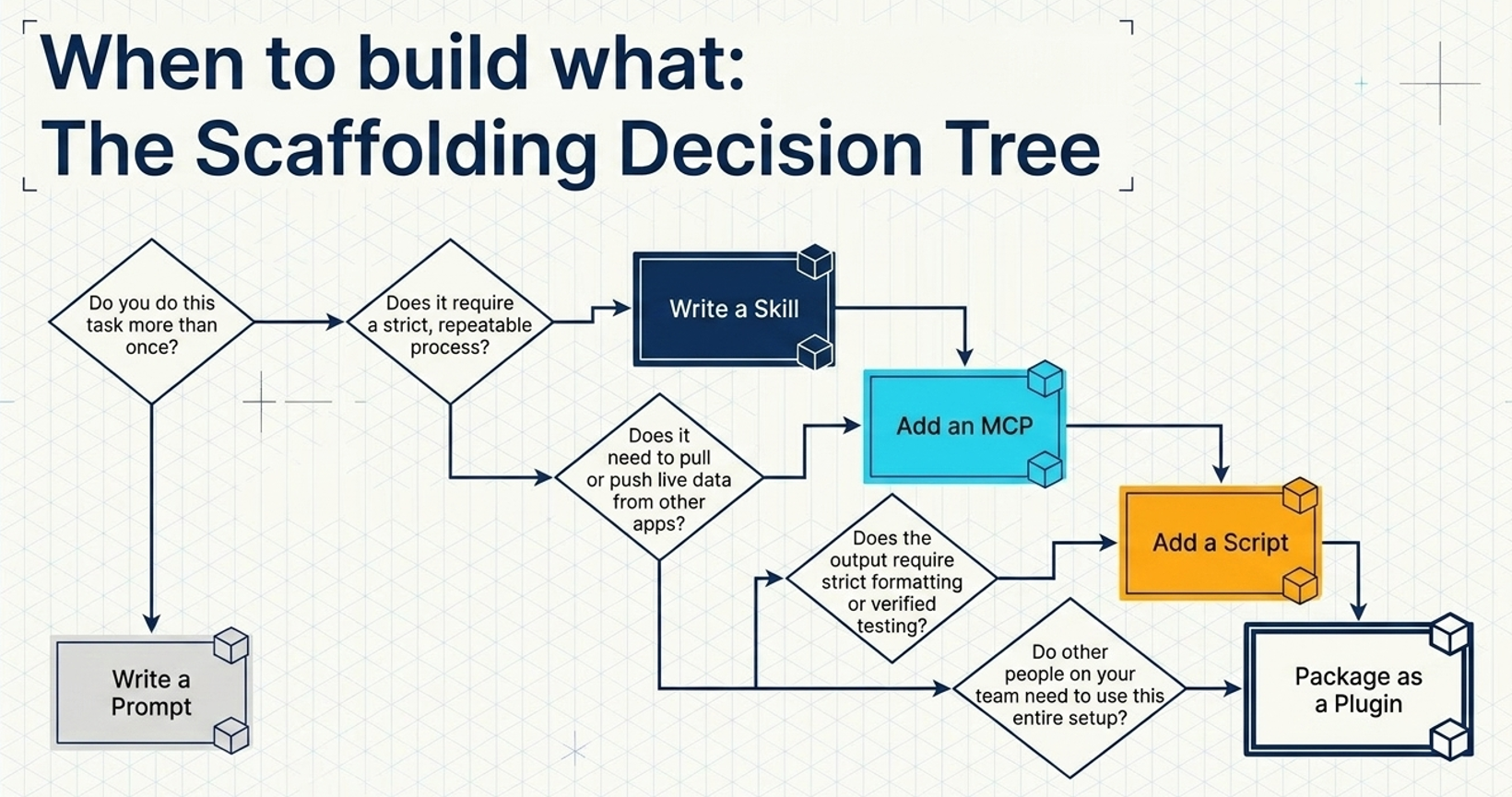
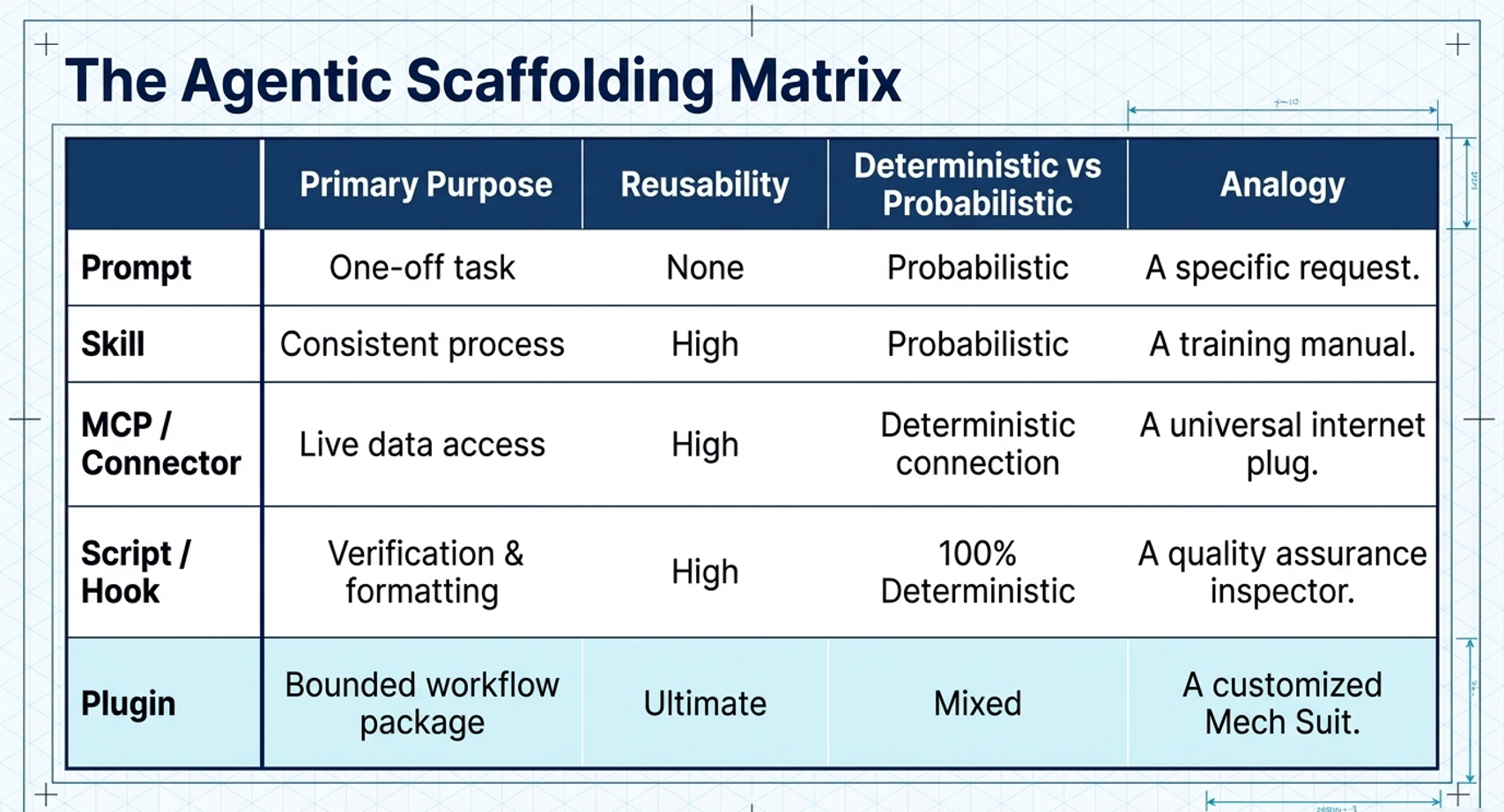
To understand what AI workflow component you need, start with what the work requires. Product labels differ between platforms, but these six functions remain useful when you plan an AI workflow.
| What the work needs | Use | Plain-English explanation |
|---|---|---|
| A specific, once-off task | Prompt | Instructions for the task in front of you. |
| A method your team repeats | Skill | Reusable instructions for how your organisation completes this type of work. |
| Current information from another system | Connector | Approved access to email, a CRM, files, a calendar, a database, or another business tool. |
| A calculation or check that can be run mechanically | Tool or script | Code or a fixed rule that calculates, formats, tests, or validates the result. |
| A complete setup that must be installed or shared | Workflow package or plugin | A package containing the method, connections, tools, templates, and checks. |
| A workflow that must choose the next approved step | Agent | An AI system that assesses the situation and selects what to do next within clear limits. |
How Saratoga approaches AI workflow design
We start with one clearly defined process. We map the current work, identify the information and systems involved, decide where a person must review or approve an action, add exact checks, and test the workflow on real examples before wider use.
Have one repeated process that takes too much manual effort? Talk to Saratoga about the workflow before choosing a model, agent, or platform.
What is an AI prompt?
A prompt gives the AI instructions for the task in front of you. It works best when the request is specific, the necessary information is already available, and a person can review the result without much effort.
A productive prompt should cover
- the outcome you need;
- the background the AI must understand;
- the rules, limits, and information it must use;
- the format of the finished answer; and
- the test for whether the task is complete.
Example prompt
Summarise these interview notes into five themes. For each theme, include one supporting observation and one open question. Keep the result under 500 words.
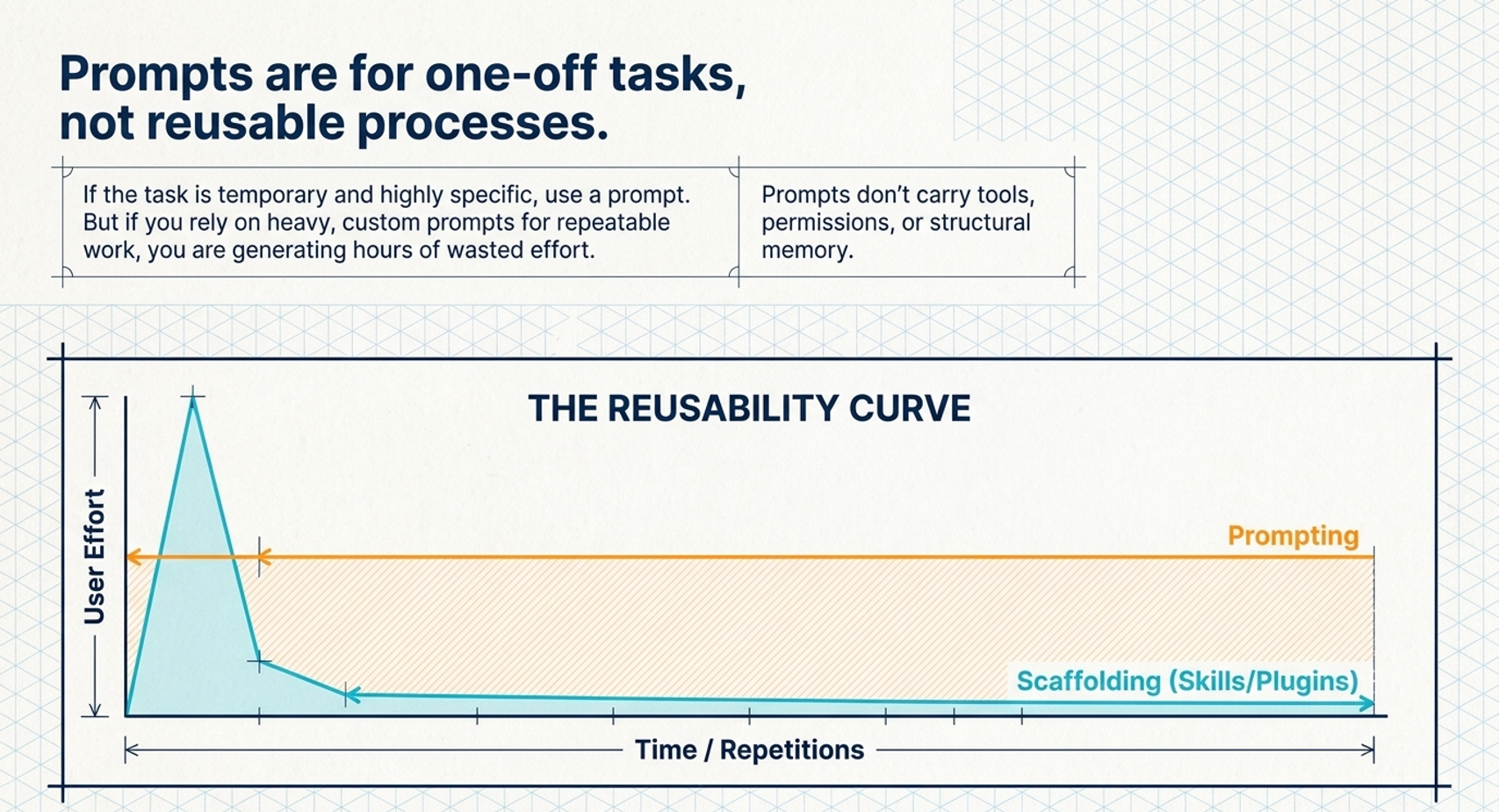
Keep a once-off task in the prompt. Move the method into a skill when you repeatedly retrieve, edit, and paste the same instructions.
What is an AI skill?
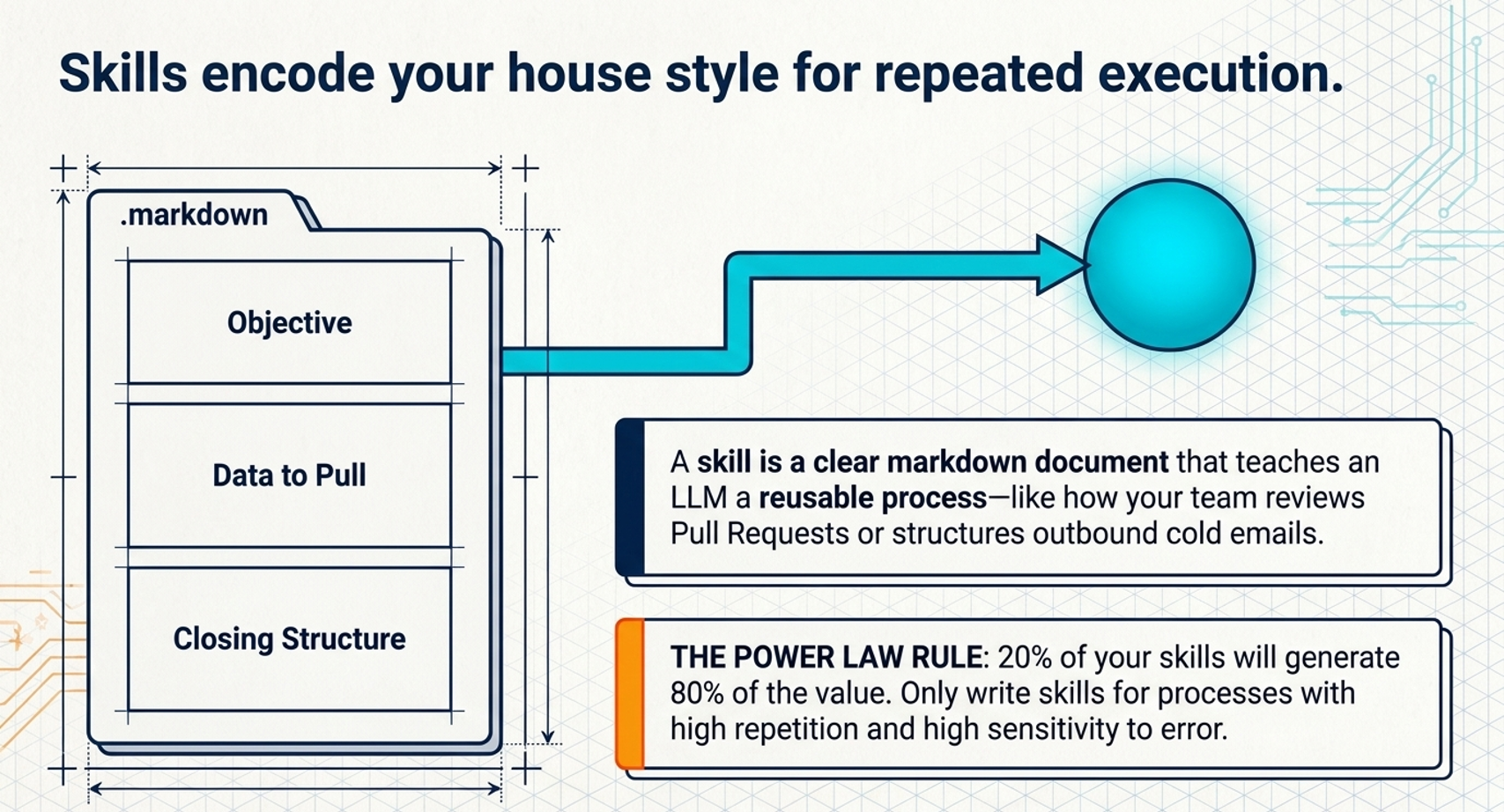
An AI skill captures how your organisation completes a recurring type of work. It can include the steps to follow, standards, examples, templates, common exceptions, tone guidance, and a checklist for when the work is finished.
A marketing skill for customer stories could set the required evidence, quotation approvals, claim checks, structure, and house style. This improves consistency when several people perform the same work, important steps get missed, or the quality changes from one person to another.
A skill still needs the right information for the specific task. Give AI the Same Brief You Would a New Joiner explains what a useful AI brief should contain.
When does AI need a connector?
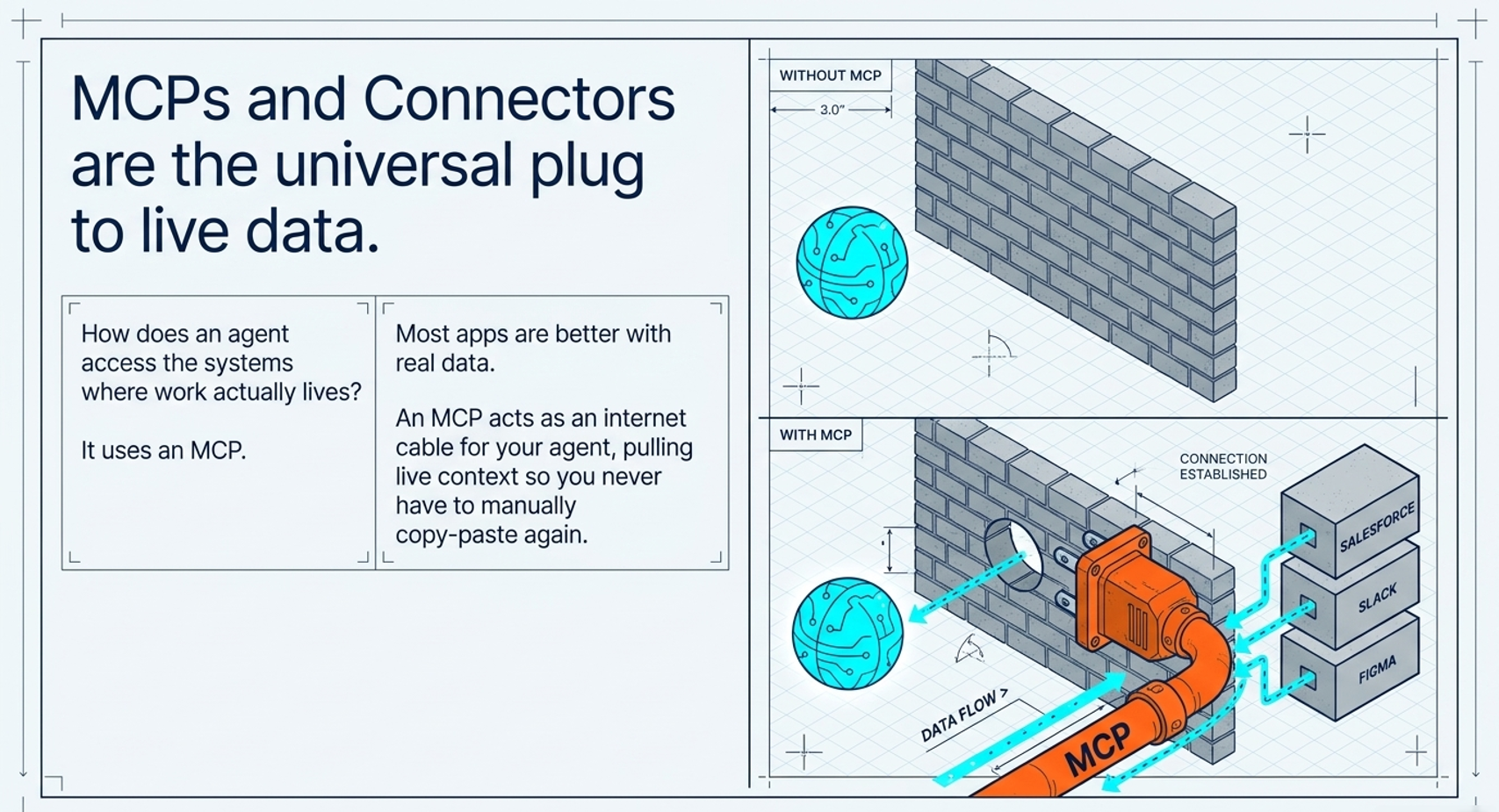
A connector gives the AI approved access to the systems where current work and information live. These may include email, calendars, customer relationship management software, team chat, document storage, project tools, or an internal database.
Connectors reduce the manual work of finding information, copying it into a chat, and carrying the answer back to another system. Access must still match the needs of the workflow.
Ask these questions before connecting a system
- What information can the AI read?
- What information can it create or change?
- Which account and permissions will it use?
- Does it have only the access this workflow needs?
- Which actions must a person approve?
- Can you see what the AI read and what it did?
Model Context Protocol, or MCP, is one technical standard that can sit behind a connector. Business leaders can start with the business questions: what the AI can access, what it can change, whose permissions it uses, and who approves sensitive actions.
When should you use a tool or script?
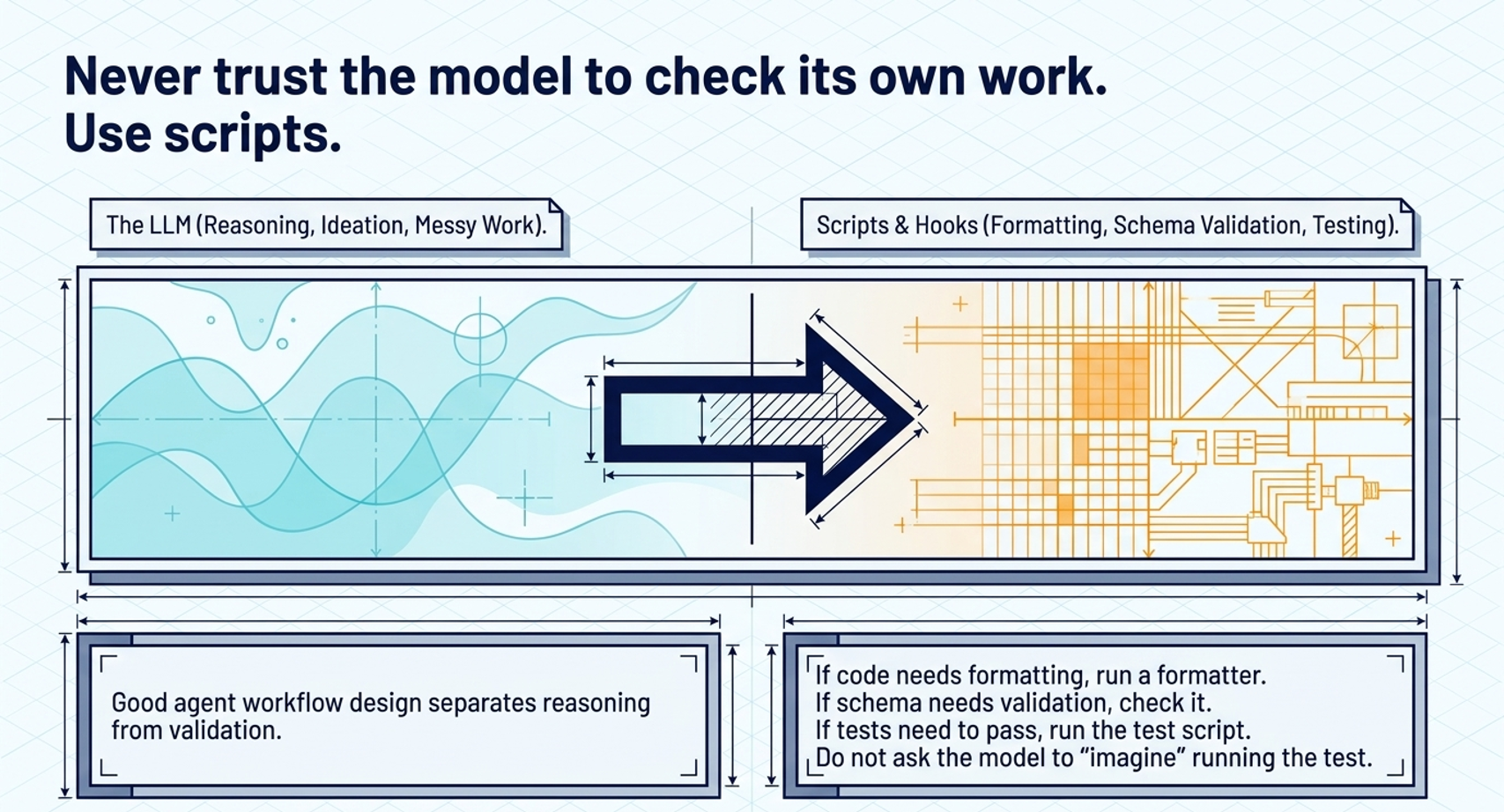
Use a tool or script when something can be calculated or checked mechanically. Large language models handle language, interpretation, and judgement well. Code and fixed rules provide a more dependable way to complete exact checks.
Use a tool or script to
- calculate totals, percentages, or variances;
- check required fields, links, and file formats;
- apply a standard format;
- run software tests; or
- compare a value with a fixed policy or approval rule.
For example, the model can interpret a customer request and draft a response. A fixed rule can check whether an amount exceeds an approval limit. A validator can confirm that the case contains every required detail before the workflow finishes.
What is a workflow package or plugin?
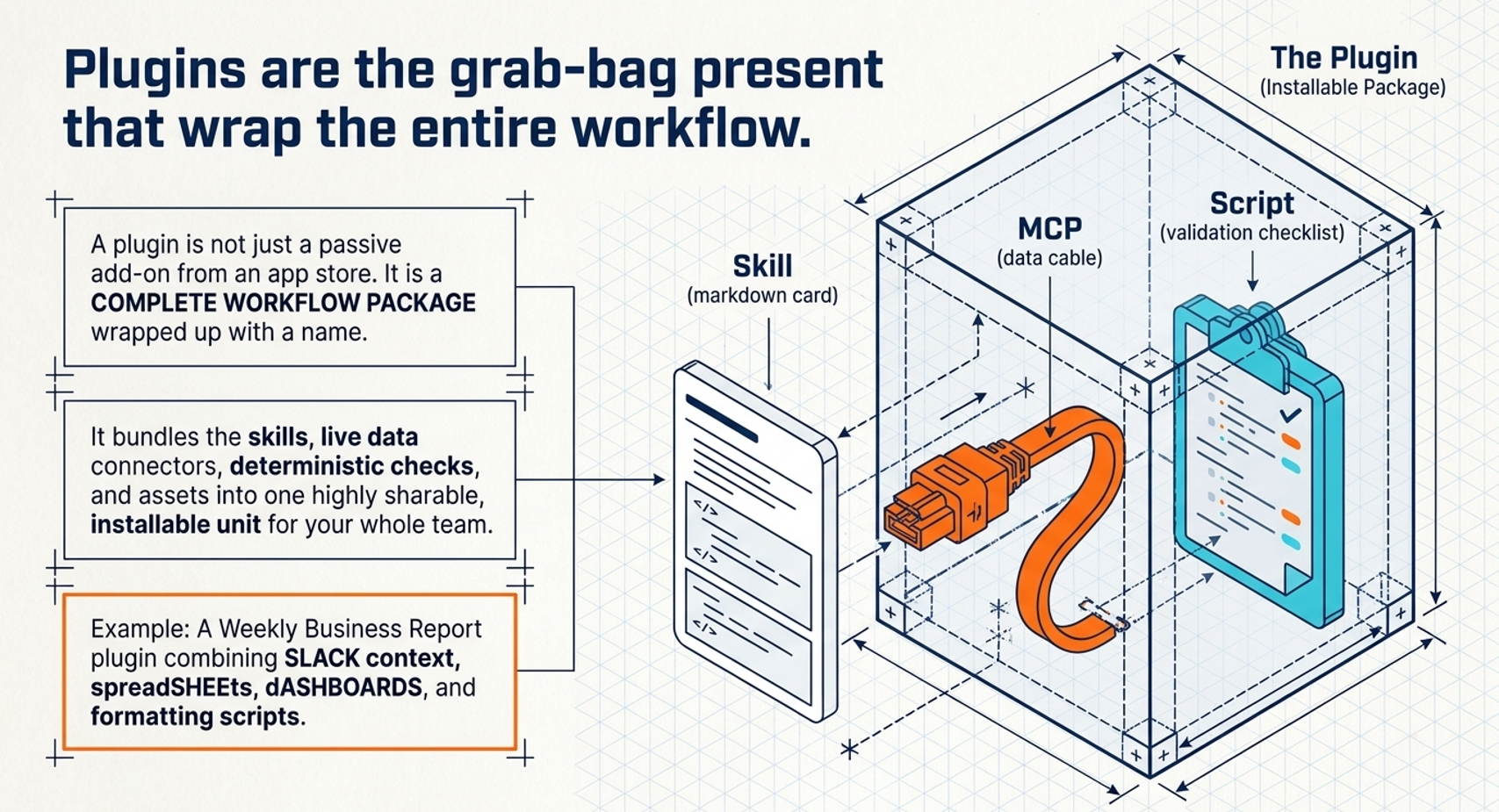
A workflow package brings the instructions, connections, tools, templates, and checks together so the setup can be installed, shared, and maintained. Some platforms call this a plugin, app, extension, or workflow bundle.
Keep the package focused on one clear job. “Prepare the weekly delivery health report” is easier to test and manage than “Manage delivery”. Smaller packages also make it easier to control access, find faults, and improve the workflow over time.
Example workflow package
A weekly management report package could collect approved project data, follow the company reporting format, calculate delivery variances, flag missing information, produce the first draft, and send it to the responsible manager for review.
When should you use an AI agent?
Use an agent when the workflow must assess what it finds and choose the next approved step. The AI agent may decide which source to check, which tool to use, whether it has enough information to continue, or when it must hand the work to a person.
Agents can prepare a meeting brief from several sources, sort incoming requests, check records, and send unusual cases to the right person. They work within a defined process rather than taking unrestricted action.
A well-designed AI agent needs
- one clearly defined job;
- only the information and tools required for that job;
- a clear test for when the work is finished;
- limits on time, steps, cost, and scope;
- rules for when a person must review or approve an action; and
- a record of the information and actions used.
Many teams gain more from a skill, a connector, and one or two exact checks before they need an agent. An agent earns its place when the work genuinely requires the system to choose what to do next.
How the six building blocks work together
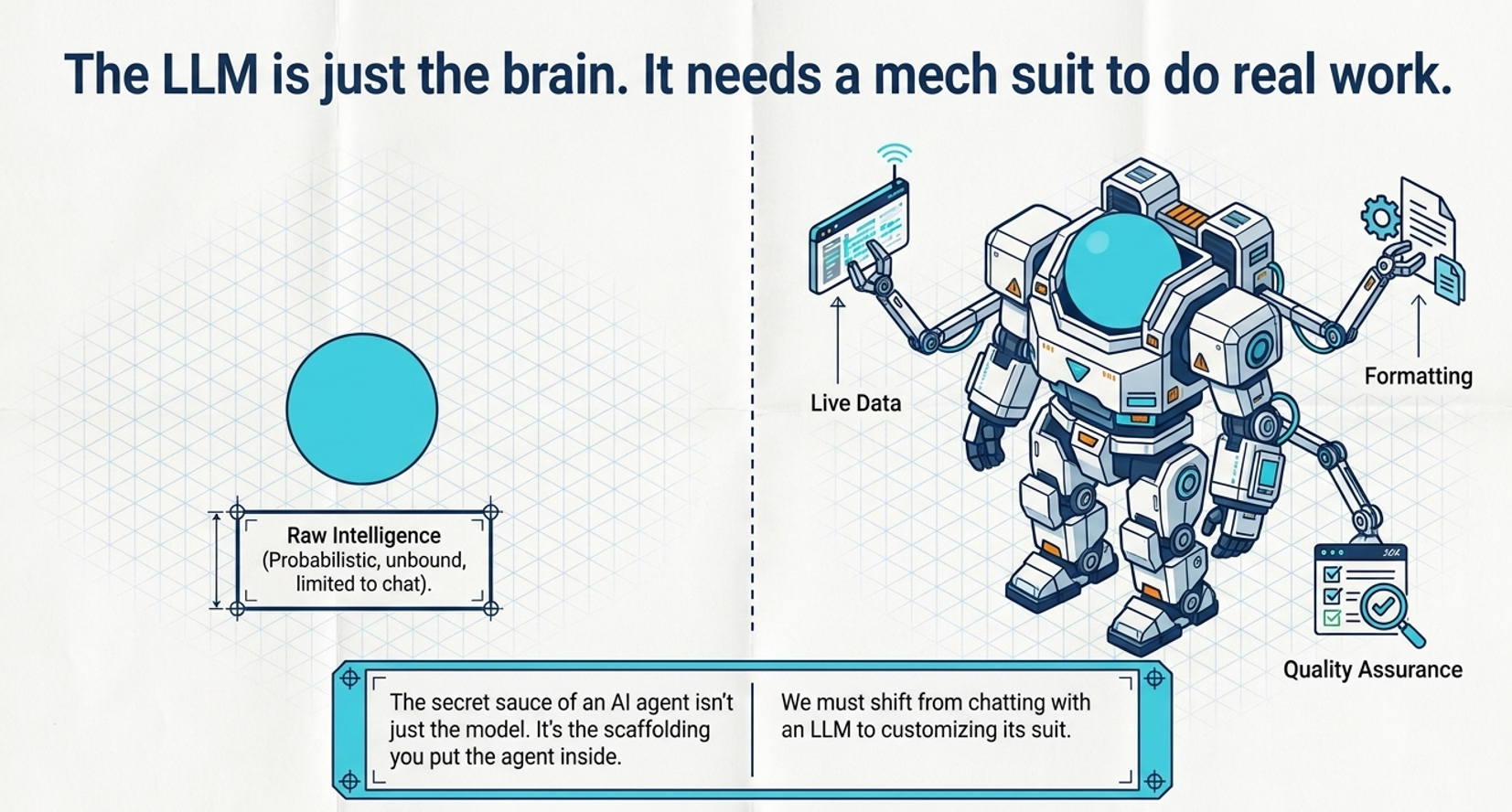
A weekly delivery health report can use all six building blocks, with each one handling a clear part of the work.
- A prompt states the immediate request, including the reporting period and audience.
- A skill sets the company’s reporting structure, definitions, tone, and rules for when a person must step in.
- Connectors retrieve current project, financial, risk, and meeting information from approved systems.
- Tools calculate schedule and budget variances, check required fields, and flag conflicting figures.
- A workflow package brings the instructions, connections, templates, and checks together for the team.
- An agent works through the information, completes the normal steps, and sends exceptions to the responsible person.
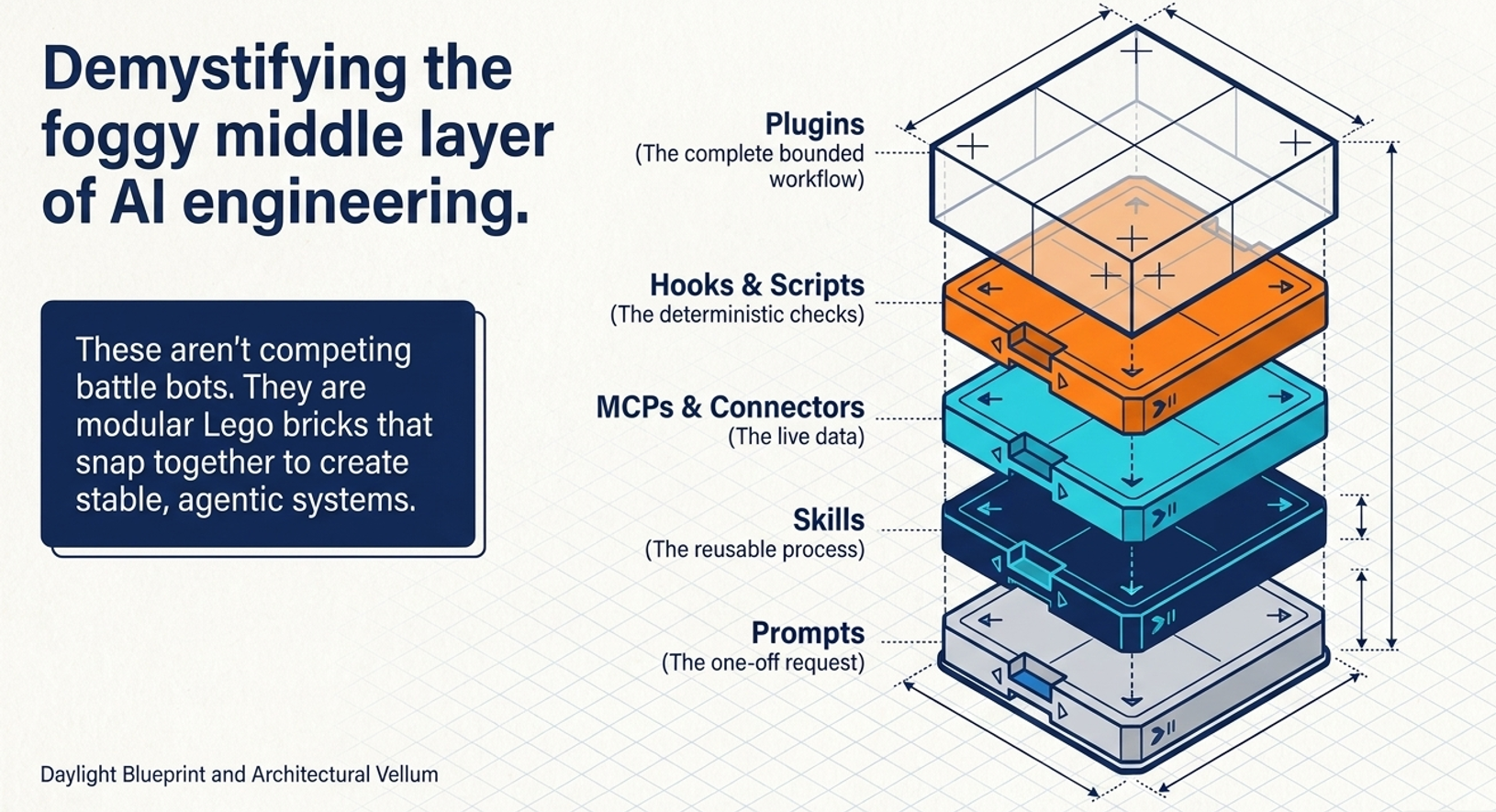
The model handles the language and interpretation. The surrounding workflow gives it the information, tools, rules, and checks needed to complete the work reliably.
What Saratoga has learned from real delivery work
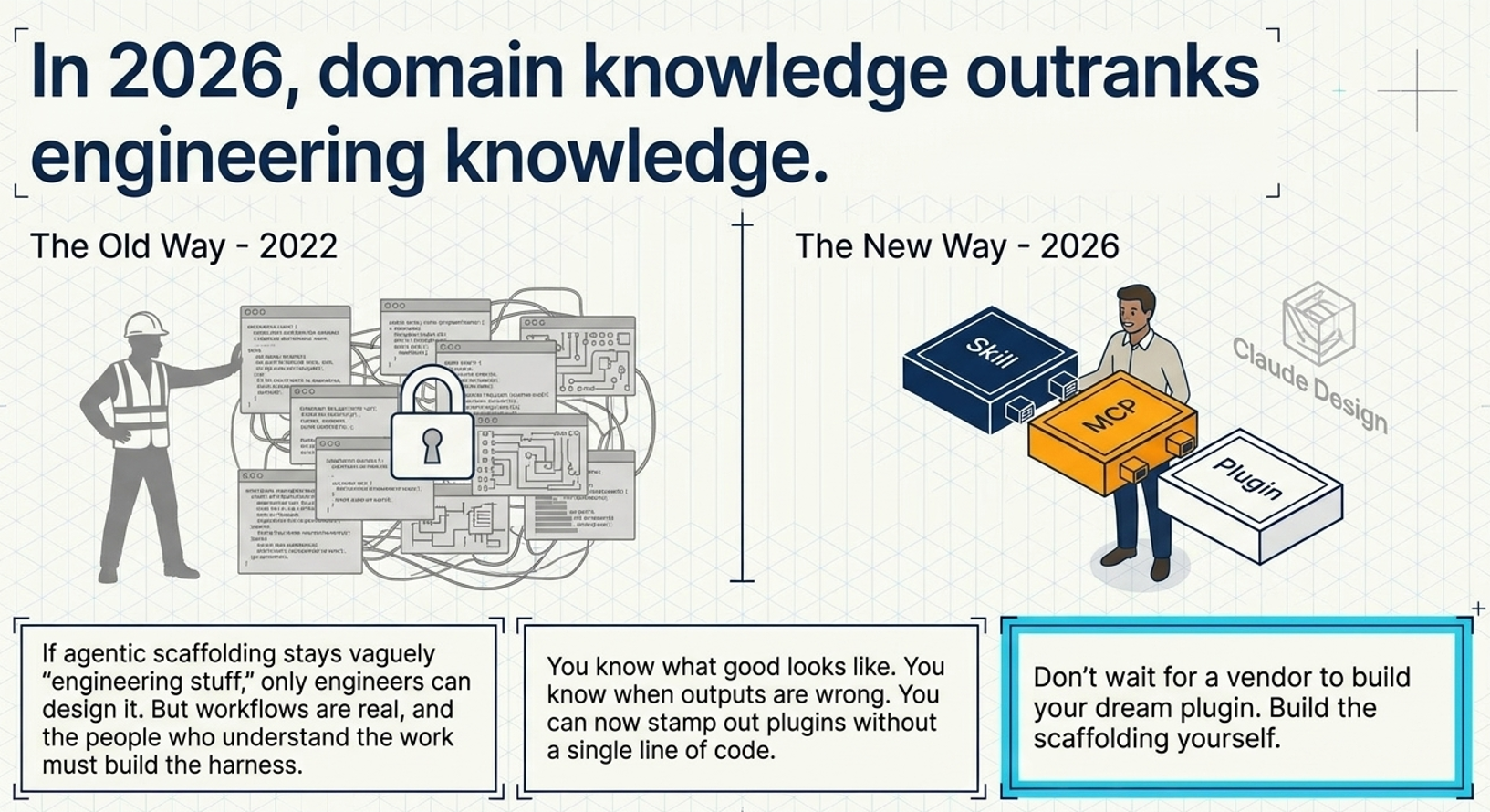
Reliable AI workflows need people who understand the work. They know what a good result looks like, which information can be trusted, where mistakes usually happen, which cases need judgement, and what a person must approve. The people building the system then turn that knowledge into secure connections, tools, and controls.
In a recent internal exercise, Saratoga used Roo-Code to help make sense of a complex Azure environment in hours rather than days. The model worked with relevant technical context and approved tools, while experienced people remained responsible for the conclusions.
Our approach starts with a clearly defined business problem. We identify what the workflow needs, keep human oversight where judgement or risk is involved, connect only the required systems, test the result on real examples, and expand the solution once the value and controls are clear.
Where to begin with AI workflow design
Choose one repeated piece of work that matters, has a clear boundary, and is easy for an experienced person to review. Then work through these steps.
- Write down the outcome, the current process, and the people involved.
- Identify the information the workflow needs and where it lives.
- Mark the steps that need human judgement, approval, or follow-up.
- Capture the repeated method as a skill.
- Add connectors only where the workflow needs current information.
- Use tools or fixed rules for every result that can be checked exactly.
- Test the workflow on normal cases, missing information, and exceptions before wider use.
Need help? Bring Saratoga on board
Saratoga can help you map the process, identify where AI can assist, decide what must remain human, and design the instructions, connections, checks, and controls around the workflow. We can also build and integrate the solution within your existing business and technology environment.
Start with a free initial consultation about AI agents and workflows. Bring us one repeated process, the problem it creates, and the outcome you need. We will help you work out the simplest sensible next step.
FAQs
What is the difference between an AI prompt and a skill?
A prompt gives the AI instructions for one task. A skill stores the method, standards, and house style for a type of work your team expects to repeat.
Do we need an AI agent to get value from AI?
No. Many useful workflows begin with a skill, a connector, and an exact check. Use an agent when the system must assess the situation and choose the next approved step.
What is the difference between a plugin and MCP?
A plugin, or workflow package, brings a complete setup together. MCP is a technical standard that may help the AI access tools and information, and it can form one part of that package.
How do we know when prompting alone is no longer enough?
Look for repeated long prompts, manual copying between systems, inconsistent results, missed steps, and checks that people describe instead of run. These signs show that the process needs a more structured workflow.
Who should design an AI workflow?
The people who understand the work should define the outcome, rules, risks, and exceptions. The people building and securing the system should turn those requirements into the right access, tools, and controls.
Source note
This article draws on Nate B Jones’s explanation of AI agent scaffolding in You’re Wasting 40% of Your AI Time on Something Fixable and applies the framework to Saratoga’s approach to designing reliable AI workflows.